Sprite Forge | Blender Addon
A downloadable addon
Sprite Forge
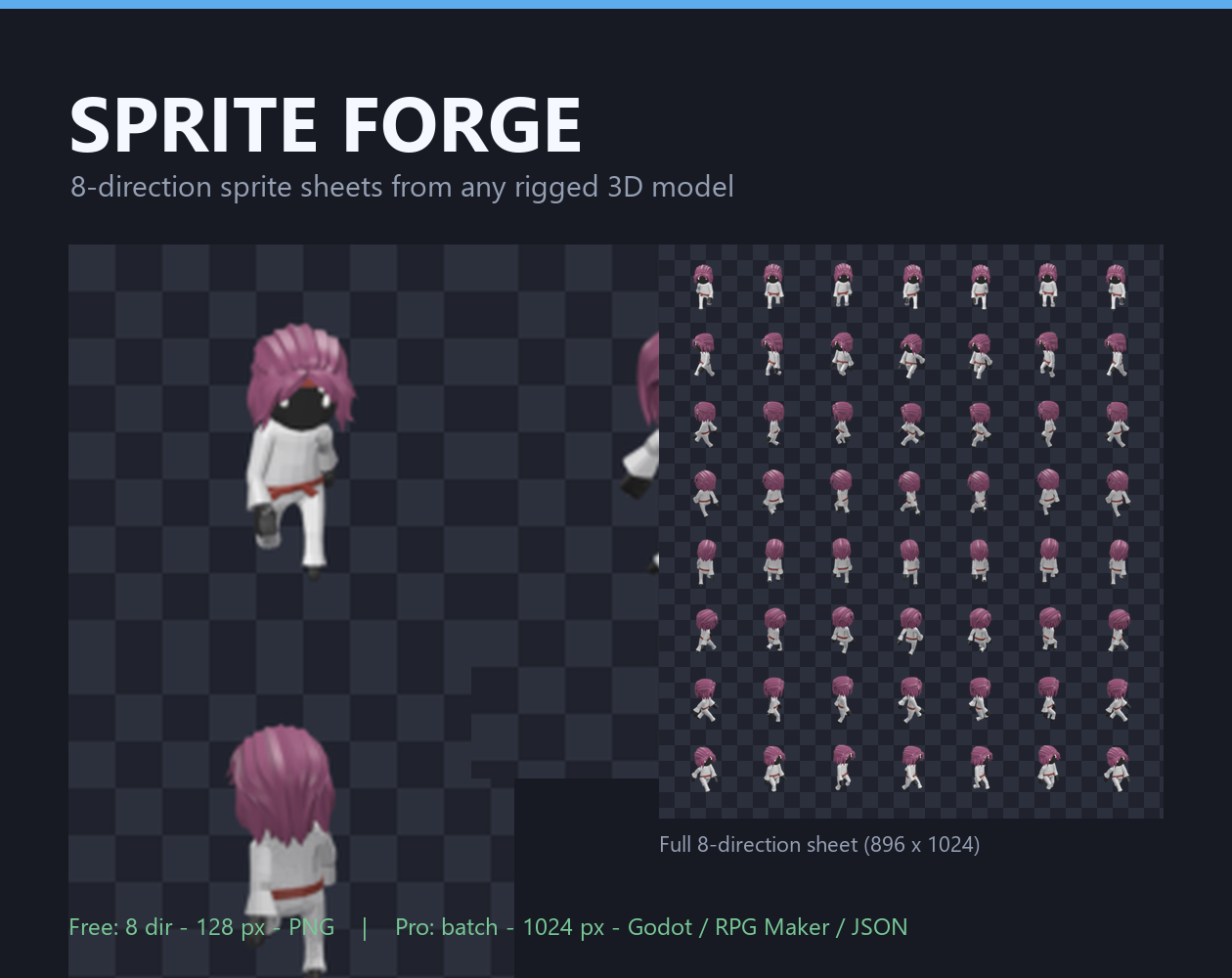
Point it at a rigged 3D model. Get a shippable 8-direction sprite sheet.
Rendering a sprite sheet from a 3D model is easy to do badly. The usual approach — render each frame, fit the camera to the model each time — gives you a sheet where:
- the character changes size between frames
- the character drifts up and down as the animation plays
- each of the eight directions is lit differently, so the character looks like a different person when they turn
All three are invisible in a still frame and glaring in motion.
The framing lock
Before a single frame is rendered, Sprite Forge evaluates your model's bounding box at every frame of every animation, across every direction, takes the union, and derives one ortho scale and one camera target from it.
Scale is then constant by construction. It isn't computed per frame, so it can't drift.
The pivot — the feet, by default — is pinned to a fixed pixel. Because the camera only orbits around the world Z axis, the pivot's screen position is provably independent of direction. The bundled self-test verifies this from the rendered pixels: the subject's horizontal centre lands within 1 px of the same spot in all eight directions.
Lighting lock
Two modes, because the right answer depends on your game:
- World-locked — the light stays put and the character turns through it. Correct when your game world has a fixed sun.
- Camera-locked — the light orbits with the camera, so all eight directions are lit identically. Correct when consistency beats realism.
Neither is right in general, which is why it's a setting and not a default.
It tells you what it's doing
Press Preview directions and it renders one small frame per direction in seconds, then opens it. Check your framing and lighting before committing to a full render that takes minutes.
What it writes
Output | Notes |
PNG sheet | rows are directions, columns are frames |
Per-frame PNGs | in |
JSON atlas | frame rects, pivot, direction order, fps. Engine-agnostic |
Godot 4 | a |
RPG Maker MV/MZ |
|
Direction order is always the same, starting at the front view and rotating
clockwise: s, se, e, ne, n, nw, w, sw. The names are written into every export,
so nothing depends on you guessing which row is which.
Free vs Pro
The Free download is a complete, shippable tool: 8 directions, one animation per render, up to 128 px, up to 32 frames, PNG output and the preview.
Pro is for when you have forty characters instead of one: batch render every animation in the file in a single run, up to 1024 px, unlimited frames, the JSON atlas and Godot and RPG Maker exporters, camera-locked lighting, and mirroring for symmetric characters (renders 5 directions and flips 3, cutting render time by about a third).
Pro is a licence key entered in Blender's addon preferences — it's the
sprite-forge-pro-licence.zip file on this same page (priced separately
from the free addon and demo).
Install
- Edit → Preferences → Add-ons → Install… and pick
sprite_forge.zip. Don't unzip it first; Blender installs the archive directly.
- Enable Sprite Forge in the list.
- In the 3D viewport press N, and click the Sprite Forge tab.
Requires Blender 3.6 or newer. Tested on 4.2 LTS.
A demo character is included (demo_character.blend) so you can try the whole
thing without rigging anything first.
About the licence key
The Pro key check is offline and the signing secret ships inside the addon. That makes it a speed bump rather than DRM — a deliberate trade, because it means no licence server, no phone-home, no account, and no failures when you're offline.
Credits
The character in the screenshots is Kimono_Female from the Ultimate Animated Character Pack by Quaternius, also mirrored on OpenGameArt.
It's released under CC0 1.0 — public domain, so no attribution is legally required. Credit is given anyway, because Quaternius gives 52 rigged, animated characters away for free and the link is the least you can give back.
The same .blend is included in the demo download, so you can reproduce those
screenshots exactly.
The addon is independent of it. Sprite Forge works with any rigged model you already own — that one just happened to be free and already animated.
Known limitations
- RPG Maker MV/MZ are natively 4-directional. If you render 8, the MV exporter writes the four it can use and says so. The other four are in the JSON atlas for use with an 8-direction plugin.
- No dedicated outline pass yet. Toon shading works via the flat light rig, but outlines aren't automatic.
- Multi-armature rigs aren't specifically handled — the tool measures the target and its mesh children.
Found a bug, or a model it frames badly? Leave a comment, and if you can, attach the .blend. Framing problems are almost always reproducible.
Download
Click download now to get access to the following files:


Leave a comment
Log in with itch.io to leave a comment.